BepInEx Installation Guide
TIP
If you do not know how to find your game path, refer to Locating Your Game.
TIP
If you need help with installation, don't hesitate to ask in the Gorilla Tag Modding Hub Discord!
1. Download BepInEx
To get mods up and running, you need BepInEx. Downloads are on the BepInEx GitHub Releases. Pick the win_x64 build.
WARNING
Make sure to pick the win_64 build, even if you're on linux! this is so that it works with Proton or Wine.
Next, you want to unzip the downloaded zip file.
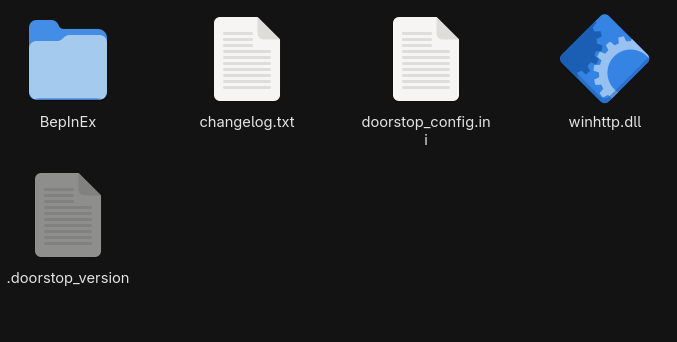
Next, copy the extracted files into the Gorilla Tag folder.
Finishing up
You've successfully modded your game!
To find mods to install, refer to the Gorilla Tag Mod Hub, or the Gorilla Tag GameBanana.
TIP
If you're using Linux, you need to do one more step. Refer to Linux for this.